Most travelers using Google Flights leave money on the table by skipping key features like the Google Flights Calendar, the “Search Anywhere” tool, and price alerts. This guide breaks down 12 of the most common Google Flights mistakes to avoid—and exactly how to fix them before your next booking.
Flights are often the biggest expense in any travel budget—and yet most people treat Google Flights like a basic search bar. Type in a destination, pick a date, and book whatever comes up first. It feels efficient, but it’s costing you more than you realize.
Google Flights is one of the most powerful flight search tools available, packed with features designed to surface cheaper fares, flexible options, and smarter routes. The catch? Most of those features go completely unused. Travelers don’t know they exist, or they’re in too much of a hurry to explore them.
The result: overpaying by hundreds of dollars, missing better routes, and booking flights that could’ve been significantly cheaper with just a few extra clicks.
This guide covers the 12 most common Google Flights mistakes to avoid, breaking down what goes wrong, why it matters, and the specific steps you can take to get the most out of the platform. Whether you’re booking a quick weekend trip or planning an international adventure, these tips will change how you search.
Understanding Google Flights: More Than Just a Search Engine

Google Flights launched in 2011 after Google acquired ITA Software, a sophisticated flight data company used by airlines and travel agencies. Since then, it has evolved well beyond a basic comparison tool.
Google Flights pulls live pricing data from airlines and online travel agencies (OTAs), displays it through an intuitive interface, and layers on tools like fare tracking, flexible date grids, and destination exploration maps. According to Google, the platform processes billions of data points to generate fare predictions and price trend insights.
What makes Google Flights particularly powerful is its transparency. Unlike some OTAs that mark up fares or display misleading pricing, Google Flights shows you the actual ticket price and redirects you to book directly with the airline or OTA. No hidden fees at the search stage, no inflated display prices.
But accessing that power means knowing where to look—and what mistakes to sidestep.
Common Google Flights Mistakes to Avoid
Mistake 1: Not Utilizing the Google Flights Calendar
The date you choose to fly has a massive impact on price. Booking on a Tuesday or Wednesday is often significantly cheaper than flying on a Friday or Sunday. The problem is that most travelers pick a fixed date and search only that specific day.
The Google Flights Calendar view—accessible by selecting “Flexible dates” or by clicking the calendar icon in the date field—displays a full month of prices at a glance. You can instantly see which days in a given month are cheapest, often saving $50 to $200 or more on a single ticket just by shifting travel by one or two days.
Use the calendar view every time you search, even if your dates feel fixed. You might discover that flying a day earlier or later fits your plans and costs considerably less.
Mistake 2: Ignoring the “Search Anywhere” Feature
This is one of the most underused Google Flights hacks available. If you’re flexible on destination—or just looking for inspiration—the “Search Anywhere” feature lets you enter your departure city without a specific destination and see a map populated with prices to hundreds of locations worldwide.
To use it, simply leave the destination field blank (or type “Anywhere”) and hit search. Google Flights will display a world map with fare prices overlaid on each destination. You can filter by trip length, travel dates, and even price range.
For budget travelers or those planning a spontaneous trip, Google Flights Search Anywhere can surface deals you’d never find by searching a specific route. It’s the digital equivalent of walking up to a departure board and picking wherever is cheapest that day.
Mistake 3: Overlooking Google Flights Hidden Features
Google Flights has several hidden features that most users scroll right past. These include:
- Price trend graphs: When you search a route, Google Flights shows whether prices are currently “low,” “typical,” or “high” relative to historical averages—and displays a bar chart with price trends over the next few months.
- Explore mode: Beyond Search Anywhere, the Explore feature lets you browse destinations by theme, budget, or season.
- CO₂ emissions data: Every flight listing includes an estimated carbon footprint, letting environmentally-conscious travelers factor emissions into their decision.
- Connecting airport filters: You can filter layovers to avoid (or seek out) specific connecting airports.
Spending five minutes exploring the Google Flights interface before every search will surface tools that directly impact what you pay.
Mistake 4: Missing Out on Google Flights Hacks for Cheaper Fares

Several Google Flights hacks consistently produce cheaper results. The most effective ones include:
- Booking one-way tickets separately: On international routes especially, two separate one-way tickets from different airlines can be cheaper than a round-trip on a single carrier.
- Using the “Stops” filter strategically: A one-stop flight is frequently 30–50% cheaper than a non-stop on the same route. If your schedule allows flexibility, filtering for one-stop options can dramatically reduce cost.
- Checking nearby airports: More on this below.
- Switching to a different currency: In rare cases, booking through a foreign version of an airline’s website using a different currency can yield lower prices due to regional pricing differences.
Mistake 5: Not Setting Price Alerts
Airfare is dynamic—it changes constantly based on demand, competition, and booking windows. Checking a route manually every few days is inefficient and easy to forget.
Google Flights allows you to set price alerts for any route you’re tracking. Once enabled, Google will email you when prices rise or fall. You can set alerts for specific dates or for flexible windows, making it easy to book the moment a good deal appears.
To set a price alert, run your search, then toggle on the “Track prices” option near the top of the results page. It takes five seconds and can save you a significant amount over the course of a year. learn more: Flight Safety Briefings
Mistake 6: Focusing Only on Direct Flights
Non-stop flights are convenient, but they’re almost always the most expensive option on any given route. The assumption that direct is always better leads travelers to overpay without realizing it.
A one-stop flight with a layover of two to four hours can cost substantially less, and if the layover city is interesting, it becomes an opportunity rather than an inconvenience. Google Flights makes it easy to compare direct versus connecting flight prices side by side—use that comparison before defaulting to non-stop.
Mistake 7: Forgetting About Incognito Mode
There’s ongoing debate about whether airlines and travel sites use cookies to raise prices after repeated searches. While Google Flights redirects to airlines and OTAs rather than selling tickets directly, it’s worth searching in incognito (private browsing) mode as a precaution—particularly if you’re running the same search multiple times in a short period.
Incognito mode prevents any stored cookies or browsing history from potentially influencing the prices you see. It takes no extra effort and costs nothing to use.
Mistake 8: Not Considering Nearby Airports
Flying into or out of a smaller regional airport can be significantly cheaper than using a major hub. New York, for example, is served by JFK, LaGuardia, and Newark—and the price difference between them can be substantial depending on the route.
Google Flights has a built-in “Nearby airports” option that automatically compares fares across all airports within a defined radius. Enable this feature in your search settings and let the platform surface cheaper alternatives you might have never considered.
Mistake 9: Failing to Understand Fare Types
Not all flights listed at the same price are created equal. Google Flights displays fares from multiple booking classes—Basic Economy, Economy, Premium Economy, Business—and the differences between them go far beyond legroom.
Basic Economy fares on many airlines come with no seat selection, no carry-on bag, and no change or cancellation rights. Booking one without realizing the restrictions can result in unexpected fees that wipe out the savings. Always click through to review the fare conditions before booking, even if the headline price looks attractive.
Mistake 10: Booking Too Early or Too Late
Timing matters. The travel data platform Expedia and Airlines Reporting Corporation (ARC) published research suggesting that for domestic US flights, the best booking window is typically one to three months in advance. For international routes, three to six months ahead generally yields the best prices.
Booking too early—say, twelve months out—often means paying a premium before competitive pricing kicks in. Booking too late puts you at the mercy of last-minute demand pricing. Google Flights’ price trend tool helps you understand where you sit within the optimal booking window for any specific route.
Mistake 11: Ignoring Layover Opportunities
One of the most overlooked Google Flights Mistakes to Avoid is automatically rejecting flights with layovers. While many travelers see long layovers as inconvenient, they can actually become mini trips that add value without increasing airfare.
Some airlines even offer free stopover programs. For example, Icelandair allows passengers to spend up to seven days in Reykjavik at no extra airfare cost. Even without an official stopover program, a six- to twelve-hour layover in a well-connected city can give you enough time to explore a new destination.
When comparing flights, avoid this Google Flights Mistake to Avoid by looking beyond the ticket price. Check the layover city and duration—you may find that a slightly longer connection offers both a lower fare and an unforgettable travel experience.
Mistake 12: Not Checking Alternative Dates
Another costly Google Flights Mistake to Avoid is booking without comparing alternative travel dates. Google Flights includes a powerful Date Grid feature that displays multiple combinations of departure and return dates, making it easy to spot the cheapest travel window.
You can access the Date Grid by selecting Flexible Dates or clicking the grid icon in the date picker. Google Flights then shows up to 30 date combinations, color-coded by price, so you can quickly compare fares.
Avoid this Google Flights Mistake to Avoid by checking alternative dates before booking. Simply shifting your departure or return by a day or two can often save $100 or more, making the Date Grid one of the most valuable Google Flights features for finding the lowest airfare.
How to Master Google Flights: Pro Tips and Tricks
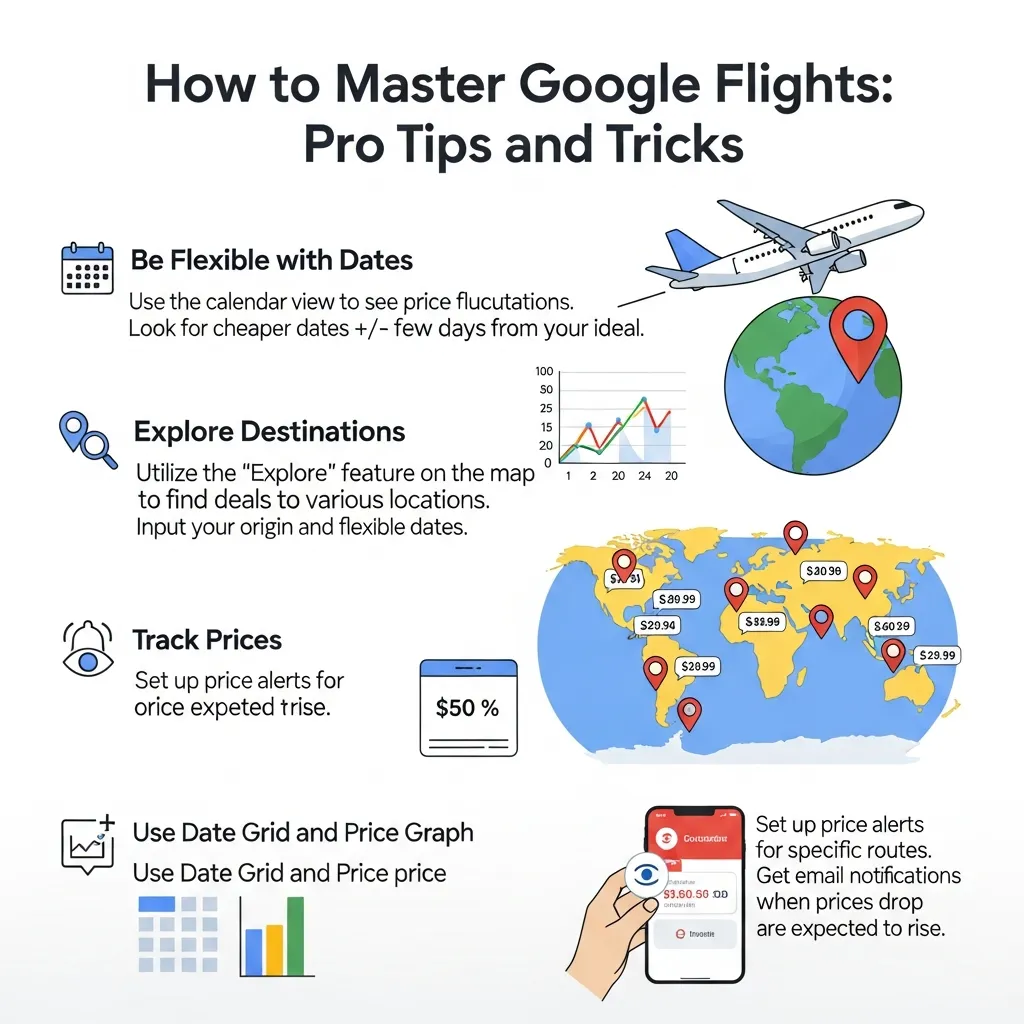
Avoiding mistakes is only half the equation. Here’s how to actively get more from every search:
- Set multiple price alerts: Track several date ranges and route variations simultaneously. When one drops, you’ll know immediately.
- Use Google Flights Calendar in combination with the date grid: The calendar shows month-level trends; the grid shows you the best departure and return date combination within that window.
- Compare Google Flights with Google Flights: Search the same route with different layover tolerances and nearby airport settings to find the true lowest price.
- Book directly with the airline when possible: Google Flights redirects to airlines and OTAs. Booking directly with the airline simplifies changes, cancellations, and any customer service issues.
- Check Google Flights on mobile: The app sends push notifications for price drops on tracked routes, which can be faster than email alerts.
- Search in the right currency: If you’re booking an international route, check whether the airline’s home-country website offers a different fare in local currency.
Conclusion
Google Flights is a genuinely powerful tool—but only for those who know how to use it. The Google Flights mistakes to avoid outlined in this guide aren’t obscure edge cases. They’re the everyday habits that quietly inflate travel costs for millions of people.
By using the Google Flights Calendar to spot cheap days, activating Google Flights Search Anywhere to find deals you didn’t know existed, exploring Google Flights hidden features like price trends and emissions data, and applying Google Flights hacks like separate one-way tickets and incognito mode, you give yourself a real edge over the average traveler.
Start small. Before your next search, spend five minutes enabling price alerts and checking the date grid. The savings add up—trip after trip.
Frequently Asked Questions About Google Flights Mistakes to Avoid
1. What are the most common Google Flights Mistakes to Avoid?
The most common Google Flights Mistakes to Avoid include skipping the Google Flights Calendar, ignoring the Search Anywhere feature, forgetting to enable price alerts, booking only direct flights, and overlooking nearby airports. Avoiding these Google Flights Mistakes to Avoid can help you save significantly on airfare.
2. How does the Google Flights Calendar help you avoid Google Flights Mistakes to Avoid?
One of the biggest Google Flights Mistakes to Avoid is not using the Google Flights Calendar. It displays fares across an entire month, making it easy to find the cheapest travel dates. Adjusting your trip by just a day or two can often save $50–$200 or more.
3. What is the Google Flights Search Anywhere feature?
The Search Anywhere feature helps travelers avoid common Google Flights Mistakes to Avoid by showing the cheapest destinations from your departure airport. Simply leave the destination blank or enter “Anywhere” to compare flight prices worldwide and discover affordable travel options.
4. Which hidden Google Flights features do travelers often miss?
Many travelers make Google Flights Mistakes to Avoid by overlooking hidden tools such as price trend graphs, carbon emissions data, the Explore destinations map, and connecting airport filters. Using these features can help you make smarter booking decisions.
5. What are the best Google Flights hacks to avoid overpaying?
Some of the best ways to avoid Google Flights Mistakes to Avoid include booking separate one-way tickets, comparing nearby airports, using the Date Grid, enabling price tracking, considering one-stop flights, and browsing in incognito mode when comparing fares.
6. Does searching Google Flights repeatedly increase flight prices?
No. Google Flights does not increase prices based on repeated searches because it aggregates fares instead of selling tickets directly. However, avoiding this common concern is part of understanding Google Flights Mistakes to Avoid, and using incognito mode can be a helpful precaution when redirected to airline or OTA websites.
7. When is the best time to book flights with Google Flights?
Avoid one of the biggest Google Flights Mistakes to Avoid by booking at the right time. Domestic flights are often cheapest one to three months before departure, while international flights are typically best booked three to six months ahead. Google Flights also shows whether current fares are low, typical, or high.
8. How do you set a price alert in Google Flights?
To avoid common Google Flights Mistakes to Avoid, search for your route and switch on Track Prices near the top of the results page. Google Flights will send email notifications whenever fares change, helping you book at the best price.
9. Is flying from nearby airports cheaper?
Yes. Another important Google Flights Mistake to Avoid is ignoring nearby airports. Google Flights lets you compare fares across multiple airports near your origin or destination, and secondary airports often offer lower prices.
10. What’s the difference between Basic Economy and Economy on Google Flights?
Understanding fare classes helps you avoid Google Flights Mistakes to Avoid. Basic Economy usually comes with restrictions on baggage, seat selection, and ticket changes, while standard Economy offers greater flexibility. Always review the fare rules before booking.
11. Should you choose connecting flights instead of direct flights?
If saving money is your priority, avoiding this Google Flights Mistake to Avoid can make a big difference. One-stop flights are often 30–50% cheaper than nonstop options, and Google Flights makes comparing both choices simple.
12. Can Google Flights track multiple routes at the same time?
Yes. One of the easiest ways to avoid Google Flights Mistakes to Avoid is by tracking multiple routes simultaneously. Google Flights allows separate price alerts for different destinations and travel dates, making it easier to find the lowest airfare.